

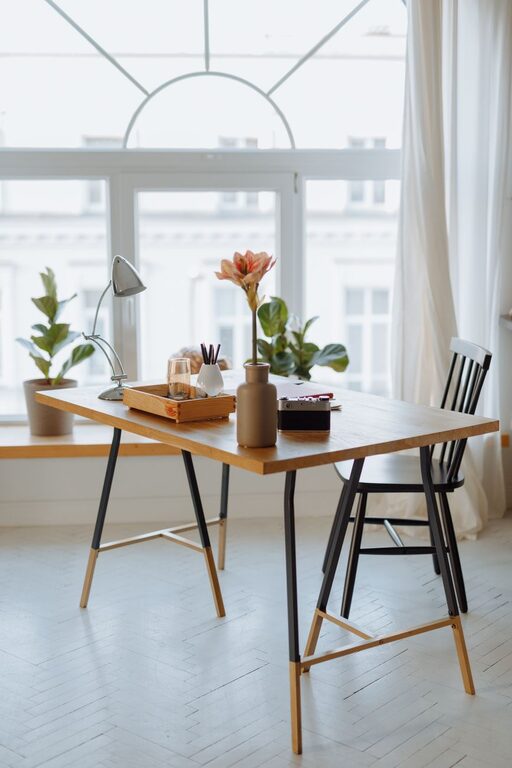
Creating a home office that is both cozy and functional can significantly improve your work-from-home experience. Whether you have a dedicated room or a small corner in your living space, thoughtful design and organization can make your workspace inviting and efficient. In this post, we’ll explore practical tips to help you design a home office that supports your productivity while feeling comfortable and personalized.
Choose the Right Location
Consider Your Natural Light
Natural light can boost your mood and help reduce eye strain. If possible, place your desk near a window to take advantage of daylight. However, avoid direct sunlight on your screen, which can cause glare.
Find a Quiet Spot
To stay focused, select a quiet area away from household noise and distractions. If space is tight, use noise-canceling headphones or room dividers to create a sense of separation.
Invest in Comfortable and Practical Furniture
Ergonomic Chair and Desk
Comfort is key for long hours of work. Choose an ergonomic chair that supports your back and encourages good posture. Your desk should suit your height and provide enough space for your computer, documents, and other essentials.
Multi-Functional Furniture
If space is limited, consider furniture that doubles as storage, such as desks with built-in drawers or shelves. A foldable desk can also save space when not in use.
Organize Your Workspace Efficiently
Declutter Regularly
An organized workspace helps maintain focus and reduces stress. Keep only frequently used items within reach and store everything else neatly.
Use Organizational Tools
Use containers, trays, or drawer organizers to keep small items tidy. Labeling files and supplies can speed up your workflow and prevent clutter buildup.
Personalize Your Space
Add Decorative Elements
Incorporate items that make your workspace feel welcoming, like plants, pictures, or artwork. Plants can improve air quality and add a touch of nature.
Choose Soothing Colors
Soft, calming colors like blues, greens, or neutrals can create a serene environment. You can add pops of vibrant color through accessories or wall art to boost creativity.
Set Up Proper Lighting
Combine Ambient and Task Lighting
Good lighting reduces eye strain and enhances productivity. Use a combination of overhead lights and desk lamps to evenly illuminate your workspace.
Adjustable Lighting
Consider adjustable lamps or bulbs to control brightness, especially if your work hours vary from day to night.
Manage Cables and Technology
Keep Cables Organized
Messy cables can be distracting. Use cable organizers, clips, or sleeves to keep cords tidy and prevent tangling.
Optimize Tech Setup
Arrange your computer, keyboard, mouse, and other devices for comfort and efficiency. Invest in wireless peripherals if possible to minimize cable clutter.
Take Regular Breaks and Move Around
Create a Comfortable Break Area
If space permits, include a small seating area where you can relax during breaks.
Use Timers or Apps
Set reminders to stand, stretch, and rest your eyes, helping to maintain overall well-being.
Maintain Cleanliness
Develop a Cleaning Routine
Regularly dust and wipe surfaces to keep your workspace fresh and inviting.
Use Air Purifiers or Fresheners
These can help maintain good air quality, especially if your office area is closed off.
Final Thoughts
Your home office should be a space that inspires and supports you. By balancing comfort with functionality, you can create a workspace tailored to your needs. Keep experimenting with layout and décor until you find the perfect setup that keeps you productive and at ease. Remember, a cozy and well-organized home office isn’t just about looks—it’s about creating an environment where you can focus, create, and feel good throughout your workday.